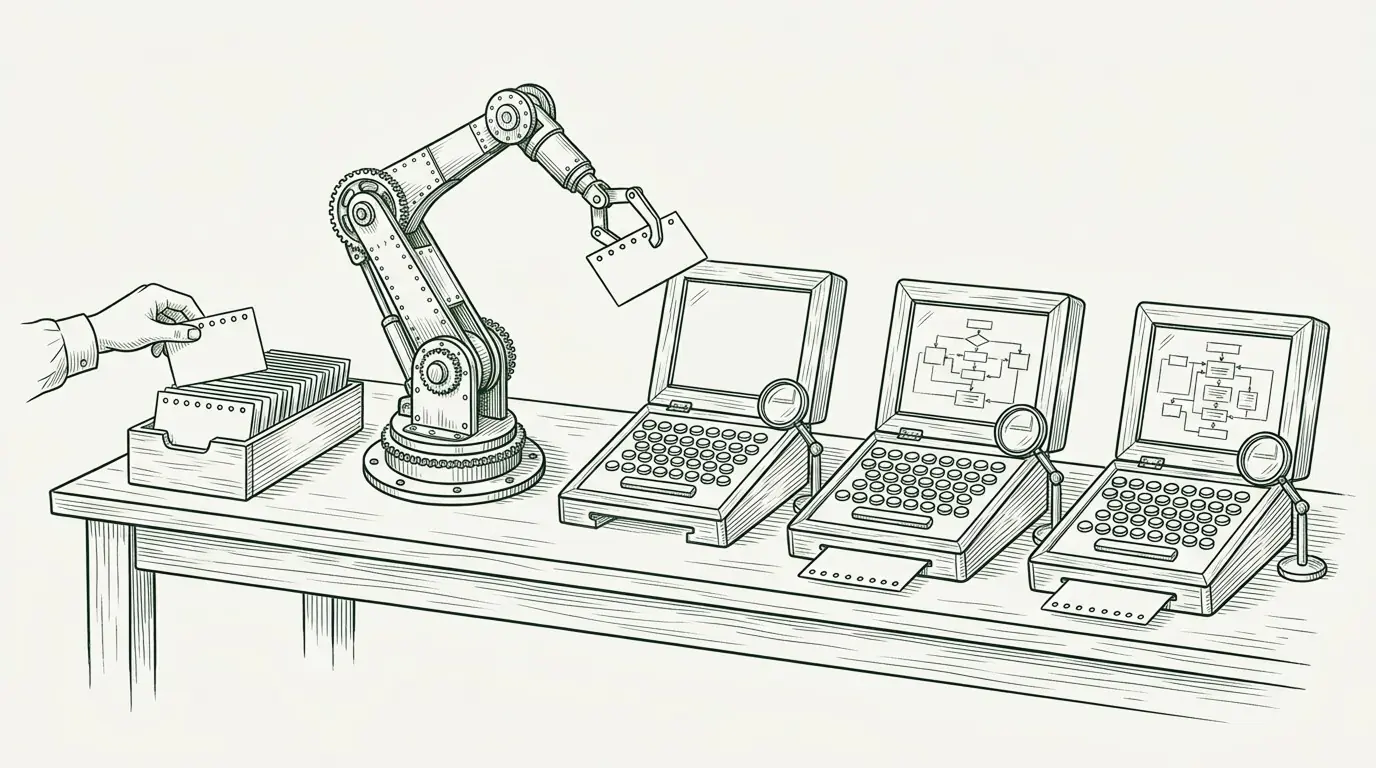
I don’t read the code my agents write.
That sounds reckless. It isn’t. Tools and agents check every line, on every PR. Tools handle syntax, style and tests. A reviewer agent in CI reads for bugs, security holes and maintainability. I scan the diff and look for three things. Does it do what I asked? Does it look and feel right? Are the fundamentals sound?
What makes it safe is the infrastructure around the model. Tests run on every edit. The agent has a browser to look through. It boots the full stack with one command. Every PR gets its own environment. The agent reads logs, CI and deploy status on its own. Each layer takes a verification job off my plate.
Most bad AI coding experiences lack these layers. The agent writes code it has never run. It declares victory. You get a diff you can’t trust, so you read it line by line. Then you decide the tool isn’t worth it.
This guide covers the layers I use, what each one proves, and where to start. I don’t have every layer on every project. Some have more than others.
If you read my Stage 3 field guide, this picks up where Stage 3 hits its ceiling. It’s also the hands-on follow-up to Close the loop, which argued that agents are only useful once they can verify their own work.
The gap the model can’t close
Agents write code they have never run on real infrastructure. A diff review can’t tell you whether a migration applies. Unit tests can’t tell you whether the service boots or the config resolves. Someone has to run it. Without infrastructure, that someone is you.
The numbers show the gap. DORA’s 2024 report linked every 25% rise in AI adoption to 7.2% lower delivery stability. By 2025, throughput had recovered and stability had not. Teams sped up while their systems stayed the same.
The 2025 Stack Overflow survey found 84% of developers use or plan to use AI tools. Only a third trust their output. I read that as a verification gap. People trust code as far as they can check it.
Amazon saw the same split from the inside. Clare Liguori at AWS describes a pilot with 50 ordinary teams on existing codebases. They measured deployment speed to production. Half the teams got less than 3x. The other half got a median of 4.5x, and some passed 10x. Both halves used the same tools. The fast half changed how they worked.
A new computer, every task
People now talk about AI agents as new hires. Some buy Mac minis for their OpenClaw or Hermes agents. You hired someone, the argument goes, so give them a computer and an email address. Cursor’s docs say the same about cloud agents. Skipping environment setup is like not giving your engineers a computer.
The metaphor holds, with one twist. A new hire gets a computer on day one. An agent needs one on every task. It has no memory between sessions and no desk to return to. Every task is day one.
So “a computer” means an environment. The repo, dependencies, a running stack, seeded data, a browser, and access scoped to the job. It is fresh, isolated and disposable. The Mac mini is the physical version. For coding work, a virtual one is right nine times in ten. It also scales to ten agents at once.
None of what follows is new. It all made human engineers faster too. We kept putting it off. What’s good for humans is good for agents.
Agents need a bit more on top. A fresh environment per task. A short rulebook. Error messages that make sense without context. Mocks in place of a shared staging box. That bit more is what this guide covers.
Six tiers of verification
Every change has to prove the same things before it ships. None of this is new. It’s the software lifecycle we’ve always had:
- It builds and follows the house style. Formatting, lint, types.
- It does what it should. Unit and integration tests.
- It’s secure. Dependencies, secrets, injection, auth.
- It’s fast enough. Performance.
- It’s maintainable and fits the architecture.
- It works for a user. QA: someone clicks through the flow.
- It runs with the rest of the system. It boots, migrates and talks to real services.
- It’s healthy in production. Deployed, with no new errors.
What changes is who does the proving. The tiers below hand each proof to the system, cheapest and most certain first. Tier 1 covers the first four with static tools. Tier 2 adds judgement for security, maintainability and architecture. Tier 3 checks it works for a user. Tiers 4 and 5 run it with the rest of the system. Tier 6 watches production.
Each tier builds on the one before, and each takes a check off your plate. Start with what you get for free. Your coding agent reads back the code it writes and fixes obvious mistakes as it goes. That’s the baseline. It shares the context and assumptions that wrote the code, and it can’t prove the code works.
1. Deterministic checks
Start with static tools. They’re fast, cheap and give the same answer every time, so the agent can’t talk its way past them. Use them wherever they exist.
Hooks and CI run them whether the agent remembers or not.
Cheap checks run on every edit. Slow ones run in CI. The agent reads the output and fixes what fails. One rule keeps this tier growing: if a human keeps catching something in review, it becomes a check here.
For security, cover three kinds of tool: static analysis of your code (SAST), dependency scanning (SCA), and tests against the running app (DAST). OWASP ZAP and OWASP Dependency-Check are free places to start. I wrote more about these in my piece on the SportAdmin leak. Not sure which fit your stack? Ask your agent, then have it set them up.
According to Clare Liguori, teams at Amazon are moving to typed languages for the compiler feedback, some from Python and JavaScript to TypeScript or Rust. They are also building local mock services with fixed responses, so the agent works on the laptop alone.
It’s called shifting left. We always knew we should do this. The return is finally high enough.
2. An independent AI reviewer
Some problems need judgement, and tools can’t encode it. Is this new endpoint missing an auth check? Can user input reach the page unescaped? Does the change fit the architecture? I run a separate reviewer agent in CI to catch things like that. It differs from the baseline in three ways. CI runs it, so nobody can skip it. It starts with fresh context, not the author’s session. It runs custom prompts for what a coding agent won’t look for on its own. Every line gets read, which is what lets me scan the PR later.
The split between tiers 1 and 2 is simple. If a tool can catch it every time, make it a check. If it needs judgement, put it in the reviewer’s prompt. When the reviewer flags the same thing twice, turn it into a check. Know the reviewer’s limit too. It often runs the same model as the author, with the same blind spots. That is why I still check a few things by hand.
3. Eyes
This is QA. The agent loads the page and clicks through, like a tester would. Playwright MCP is the common choice. Bun 1.4 ships headless browser automation built in, as Bun.WebView. Chrome DevTools MCP adds console errors, failed requests and performance traces. Claude Code and Cursor now ship built-in browsers and computer use. This tier is table stakes.
A browser only covers the web. Native apps need their own eyes. Maestro MCP and mobile-mcp let an agent drive the iOS Simulator and Android emulators, tapping through flows and reading the screen. For desktop apps, computer use does the same. If you’re not sure what fits your stack, ask your agent.
It has one trap. An agent with a screenshot will still call a broken page done. Your contract has to say what “verified” means.
One tip: let your frontend run without its backend. On the web that can be an in-memory mode. On mobile it can be an offline mode with local data. Isolate the UI as far as you can without degrading the experience. Lumural’s frontend runs with no backend at all, so the agent checks UI work in seconds. It cost little because it was in the architecture from day one. Retrofitting it is harder, and it won’t suit every project.
4. Run the stack, once per worktree
One command boots the app, database and queue, and seeds the data. Mine is:
bun run dev:preview
It runs the whole stack in Docker, with migrations and seeding as options. If your onboarding doc has 40 steps, your agent stops here.
Parallel work breaks this next. Worktrees isolate code, and only code. Two agent sessions share one Postgres, one Redis, port 3000 and one worker draining one queue. I hit this at postdocs.ai. Two of my worktrees ran migrations against the same local database. I paused one and waited.
Some fixes, from cheap to thorough:
- A Compose project per worktree. Set
COMPOSE_PROJECT_NAMEfrom the worktree name. Derive ports, database name and Redis URL from it too. - One database per worktree. Keep one Postgres server. Seed a template database once, then copy it with
CREATE DATABASE wt_feature TEMPLATE app_seeded. The copy takes seconds. Give each worktree its own Redis index or key prefix. - A cloud session per task. Claude Code remote environments, Cursor cloud agents and Codex cloud give each session its own machine. You pay for it, and your boot command must run headless.
The test is simple. Can two sessions run the full check at once without knowing about each other? If not, you have worktrees without parallelism.
5. An environment per PR
Every PR gets a short-lived full-stack preview with its own database, seeded data and a URL. The agent checks its work there. The reviewer clicks the URL instead of reading 400 lines.
At postdocs.ai, previews have replaced staging. They’re opt-in per PR, not automatic, so we only pay for an environment when a change needs one. We share a preview to test one feature. Nobody breaks a shared staging env under us. Experimental features live in a preview and stay off main until we want them.
The database is where people trip. Some options:
| Option | What the preview gets | Examples |
|---|---|---|
| Create and destroy a real database | Whatever your seed script loads | Any Postgres or MySQL |
| Copy-on-write branch | A copy of the parent, data included, in seconds | Neon, Xata, DBLab |
| Schema branch per PR | Migrations plus a seed file, no production data | Supabase |
| Schema-only branch | Structure only, empty until seeded | PlanetScale (MySQL) |
An empty preview only proves the schema applies. More on data below.
6. Access to the real world
The agent reads logs, crash reports, tickets, CI status and deploy status on its own. Most of it runs through MCP servers, read-only. “Is it deployed?”, “why did CI fail?” and “what does prod say?” stop being my questions.
It never gets user data or personal data. If user data shows up in your logs or errors, that’s a bug to fix. Don’t cut your agent off from the logs. Fix the logging, for GDPR if nothing else.
What comes after the tiers
One more step closes the loop. A separate QA verifier agent, with no memory of the build, runs the flows on the preview environment. It attaches the evidence to the PR, and you review the evidence.
I described part of this in April, in the Stage 3 guide: agents working a queue of plans, with enforced pipelines and sandboxed execution. Building it taught me the rest. Each task needs its own worktree and its own running stack. That’s the core of Lotsa, and it’s where the title of this piece comes from.
The hard part about data
Hand-written fixtures encode the assumptions of whoever wrote them. They hold at the volume the author pictured. Production bugs live beyond it. Think of the query that takes eight seconds at 500,000 rows, or the customer with 40,000 orders. Fixtures won’t catch those. Production-shaped data will.
Seeding also gets harder with every service, queue and third-party API you add. Nobody sells seed data, so budget time for it. Where you can, seed previews from an anonymised copy of production.
Put the contract in the repo
Liguori names two ways to work with agents. You can babysit: chat all day, waiting half a minute for each reply. Or you can feed: hand over the task and a way to self-check. A fed agent comes back only when the work compiles, passes tests and clears the bar. Babysitting kills parallel work, because you sit in every loop.
Feeding needs the contract in writing. Put it in CLAUDE.md or AGENTS.md so every session and every teammate gets it. Something like this:
## Verification
- Start the stack with `bun run dev:preview`.
- A change is verified when:
  - lint, types and tests pass, and you show the output
  - you have loaded the affected pages and described what you saw
  - you have called new endpoints with real payloads
- Review your own diff before you open the PR.
- Never report done without the evidence.
Add skills for the recipes you repeat: a new feature, a bug fix, a migration, a UI change. Let hooks run the cheap checks, so the agent doesn’t have to remember them.
I hit this wall in the spring. Feeding the agent wasn’t enough, because I was still the one watching the PR. So I started building an agent that stays with the PR after it’s up. It reads review comments and CI failures, fixes them, and only pings me when everything passes. That became Lotsa. You can get part of the way today with /loop or /goal in Claude Code and Codex.
The loop needs rules, or the agent just makes every comment go away. I wrote mine as a skill, pr-feedback-loop. Each pass it collects review comments and CI failures and verifies every finding itself. Confident wording from a bot is not evidence. Real bugs get a failing test first, then the fix. Wrong findings get a reply with evidence. Anything that needs my judgement waits for me. Run it with /loop and the PR keeps moving while you work on something else. The skill and my global CLAUDE.md are in my dotfiles.
What breaks at scale
- Cost. Dozens of agent PRs a day means dozens of environments. Tear them down when the PR closes. Pause idle ones. Make previews opt-in, like we do at postdocs.ai. I haven’t hit a cost surprise yet. I also haven’t automated everything, so watch it.
- Blast radius. Agents running your stack need isolation. Use sandboxes and network allowlists. Keep production secrets out of previews.
- Lost evidence. Environments die fast. Attach logs, screenshots and failing traces to the PR before teardown.
- Flaky infrastructure. Short-lived environments fail for reasons unrelated to the change. An agent that can’t tell the difference loops forever.
- Hidden shared state. Worktrees also share caches, keychains, webhook listeners and file watchers on fixed ports and paths.
- You. Amazon’s teams saw cognitive load rise as agents ran in parallel. People stayed up late chasing the perfect overnight prompt. Early-career engineers found reviewing AI output harder than writing code. Infrastructure eases the first problem. The other two need a team to fix.
What I still check by hand
Tools and the reviewer agent cover style, tests and maintainability. I check three things:
- Does it do what I asked? Behaviour against the plan. I open the preview and click through.
- Does it look and feel right? An agent can confirm a button exists. It can’t tell me the flow feels wrong.
- Are the fundamentals sound? Models, migrations, API contracts, external calls, module boundaries and deployment. I also do a quick security pass: CORS, injection, auth on new endpoints, anything near secrets. If I find something there, a check or a reviewer prompt is missing.
These changes cost the most to undo. They’re also where a shared wrong assumption does the most damage, since the reviewer agent can’t see it either.
This is the Stage 3 shift applied to review. I moved up a layer.
Where to start
Try it on your own codebase
Don’t take my word for it. Hand this guide to your agent and let it grade your repo. Paste this into a fresh session:
Read https://andrewcrookston.com/articles/amplify-your-ai-agents.html.
Then review this codebase against it. For each of the six tiers, tell me:
- what we already have, with file paths
- what is missing
- the smallest change that would move us up a tier
End with the one change you would make first.
It’s a decent test in itself. An agent that can’t boot your stack will struggle to tell you what’s missing.
Or start here
Otherwise, here are a few things to try, in order. One exception to cheapest-first: build the boot command early. Tiers 3 to 5 all need it.
- Build one command that boots a seeded stack. Everything else depends on it.
- Make it safe to run twice. Derive names, ports and databases from the worktree.
- Let your frontend run without its backend, if the architecture allows: in-memory on the web, offline on mobile.
- Write the verification contract into CLAUDE.md or AGENTS.md.
- Wire linters, types, tests and security scanners into hooks and CI. Ask your agent which ones fit your stack, then have it set them up.
- Add an AI reviewer to CI.
- Add previews, with the database option that fits your data.
- Give the agent read-only access to logs, CI and deploys. Keep user data out.
Expect to slow down first. Every team Liguori interviewed saw productivity dip before it climbed. She calls it slowing down to speed up.
When it climbs, measure change failure rate and rework rate. PR count will flatter you. Stability is where agent risk shows first.
Want the quick-reference version? Here’s the cheat sheet.
Sources
- Clare Liguori, AWS: From AI-Assisted to AI-Native: Building a Frontier Development Team
- Google Cloud: Announcing the 2025 DORA Report
- DORA: Balancing AI tensions
- Stack Overflow: 2025 Developer Survey
- Cursor: Cloud Agents docs
- Render: Preview environments as agent sandboxes
- Neon: Isolated databases per feature branch
- Autonoma: PlanetScale branching vs managed preview data
- PandaStack: Test data for ephemeral databases
- Bun: Bun 1.4 release
- Builder.io: Agent experience is the new developer experience
Every task gets its own worktree and its own running stack, and an agent stays with the PR until everything passes. That's Lotsa.
Try Lotsa →This essay sits within a broader thesis on AI coding. See the full argument →